
Isingeniso
This manual provides detailed instructions for the EMOS E0042 Wireless Digital Thermometer. This device is designed to accurately measure and display both indoor and outdoor temperatures using a main unit and a remote wireless sensor. Please read this manual thoroughly before use to ensure proper operation and longevity of your device.

Image showing the EMOS E0042 Wireless Digital Thermometer in its retail packaging.
Okuqukethwe Kwephakheji
The EMOS E0042 package includes the following components:
- 1x EMOS E0042 Main Display Unit
- 1x EMOS Wireless Outdoor Sensor

Image showing the EMOS E0042 main display unit and the wireless outdoor sensor.
Izici Zomkhiqizo
The EMOS E0042 Wireless Digital Thermometer offers a range of features for convenient temperature monitoring:
- Clear and easy-to-read LCD display with large digits.
- Simultaneous display of indoor and outdoor temperatures.
- Wireless outdoor sensor with a transmission range of up to 100 meters (open area).
- Temperature measurement range: Indoor 0 °C to 60 °C, Outdoor -40 °C to +60 °C.
- Temperature resolution: 0.1 °C.
- Main unit suitable for tabletop placement or wall mounting.
- Sensor designed for outdoor use.
- Powered by AAA batteries (not included).
Icon indicating indoor and outdoor temperature measurement capabilities.
Setha
1. Ukufakwa kwebhethri
The main unit and the wireless sensor each require 2x AAA 1.5V batteries (not included).
Iyunithi Eyinhloko Yokubonisa:
- Locate the battery compartment on the back of the main display unit.
- Vula ikhava yengxenye yebhethri.
- Insert 2x AAA batteries, ensuring correct polarity (+/-).
- Vala ikhava yengxenye yebhethri ngokuphephile.
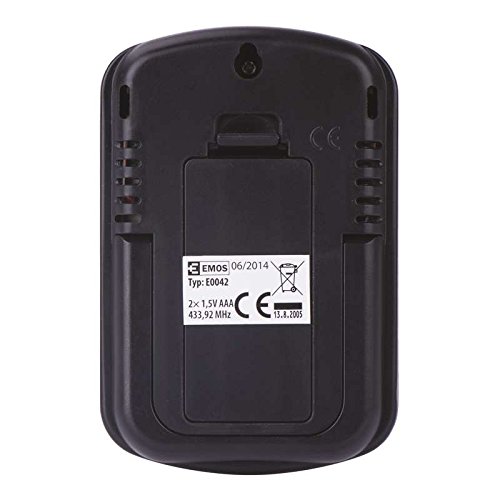
Ngemuva view of the EMOS E0042 main display unit, showing the battery compartment and wall-mount hole.
Inzwa engenantambo yangaphandle:
- Locate the battery compartment on the back of the wireless outdoor sensor.
- Vula ikhava yengxenye yebhethri.
- Insert 2x AAA batteries, ensuring correct polarity (+/-).
- Vala ikhava yengxenye yebhethri ngokuphephile.
- The sensor will automatically begin transmitting data.
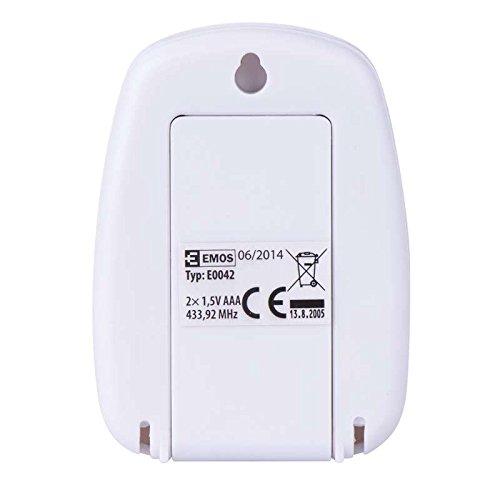
Ngemuva view of the EMOS wireless outdoor sensor, showing the battery compartment.
2. Ukubhanqanisa Izinzwa
The main unit and sensor should automatically pair once batteries are installed. If the outdoor temperature is not displayed, ensure both units are within range and try re-inserting the batteries in both units.
3. Ukubekwa
Iyunithi Eyinhloko Yokubonisa:
Place the main unit indoors on a flat surface using its integrated stand, or mount it on a wall using the hanging hole on the back. Ensure it is in a location where the display is easily visible and not exposed to direct sunlight or extreme temperature fluctuations.
Side view of the EMOS E0042 main display unit, showing its integrated stand for tabletop placement.
Inzwa engenantambo yangaphandle:
Position the wireless sensor outdoors in a shaded area, protected from direct rain and sunlight, to ensure accurate temperature readings. The maximum effective range between the sensor and the main unit is 100 meters in an open area. Walls, obstacles, and electronic interference can reduce this range.
Imiyalelo yokusebenza
Reading Temperatures
Once powered on and paired, the main display unit will show two temperature readings:
- PHUMA: This indicates the outdoor temperature measured by the wireless sensor.
- KU: This indicates the indoor temperature measured by the main display unit itself.
The temperature is displayed in degrees Celsius (°C).
Bonisa
The large LCD screen provides clear, simultaneous readings of both indoor and outdoor temperatures.
Isondlo
Ukuhlanza
Ukuze uhlanze idivayisi, isule ngesithambile, damp indwangu. Ungasebenzisi izihlanzi ezihudulayo noma izinyibilikisi, njengoba lokhu kungalimaza isibonisi nomaasing.
Ukushintshwa Kwebhethri
When the display becomes dim or readings are inconsistent, it is time to replace the batteries in both the main unit and the wireless sensor. Follow the battery installation steps outlined in the "Setup" section.
Ukuxazulula inkinga
| Inkinga | Imbangela Engenzeka | Isixazululo |
|---|---|---|
| Akukho sibonisi kuyunithi eyinhloko. | Amabhethri afile noma afakwe ngokungalungile. | Hlola i-polarity yebhethri bese ufaka amabhethri amasha e-AAA esikhundleni sawo. |
| Outdoor temperature not displayed or shows "--". | Sensor out of range, batteries dead, or interference. | Move sensor closer to the main unit. Replace sensor batteries. Ensure no strong electronic interference sources are nearby. Re-pair by removing and re-inserting batteries in both units. |
| Ukufundwa kwezinga lokushisa okungalungile. | Sensor exposed to direct sunlight, rain, or heat sources. | Relocate the sensor to a shaded, protected area. Ensure proper ventilation around both units. |
Imininingwane
| Isici | Imininingwane |
|---|---|
| Inombolo Yemodeli | E0042 |
| Ibhrendi | I-EMOS |
| Ibanga Lokushisa Lasendlini | 0 °C kuya ku-60 °C |
| Ibanga Lokushisa Langaphandle | -40 °C kuya +60 °C |
| Ukulungiswa kwezinga lokushisa | 0.1 °C |
| Uhlobo olungenantambo | Kufika kumamitha angama-100 (indawo evulekile) |
| Imvamisa | 433 MHz |
| Main Unit Power Supply | 2x AAA 1.5V amabhethri (angafakiwe) |
| Ukunikezwa kwamandla enzwa | 2x AAA 1.5V amabhethri (angafakiwe) |
| Main Unit Dimensions (L x W x H) | 8.5 x 5.6 x 1.8 cm |
| Ubukhulu benzwa (L x W x H) | 6.8 x 4.9 x 2.0 cm |
| Uhlobo lokubonisa | I-Digital LCD |
| Ubuchwepheshe bokuxhumana | I-RF (Radio Frequency) |
| Okubalulekile | Ipulasitiki |
| Izitifiketi | CE |
Ulwazi Lokuphepha
For detailed safety guidelines and important warnings, please refer to the official Safety Information PDF document provided by the manufacturer. Landa Ulwazi Lokuphepha (PDF)
Iwaranti kanye Nokusekela
EMOS products are manufactured to high-quality standards. For warranty information or technical support, please contact your retailer or the official EMOS customer service. Keep your purchase receipt as proof of purchase.


