
1. Ulwazi Lwesethulo Nokuphepha
This manual provides detailed instructions for the safe installation, operation, and maintenance of your tectake TV Wall Mount, Model 401288. Please read all instructions carefully before beginning installation. Retain this manual for future reference.
Izexwayiso Ezibalulekile Zokuphepha:
- Qinisekisa ukuthi isakhiwo sodonga singasekela ngokuphephile isisindo esihlanganisiwe sokukhweza nomabonakude wakho.
- Ungeqi umthamo omkhulu wokulayisha ongu-100 kg (220 lbs).
- This mount is designed for flat screens from 26 to 75 inches. Verify your TV's VESA pattern is compatible (50x50 to 400x400 mm).
- Use appropriate wall anchors and screws for your specific wall type (e.g., concrete, brick, wood studs, drywall). Consult a professional if unsure.
- Always use two people for installation to prevent injury or damage.
- Gcina izingane nezilwane ezifuywayo kude ngesikhathi sokufakwa.
- Check all connections are secure before mounting the TV.
Okuqukethwe Kwephakheji:
- Ukuhlanganiswa Kwe-TV Odongeni
- I-Mounting Hardware (izikulufu, amahange, amawasha)
- Integrated Spirit Level
- Detailed Instruction Manual (this document)
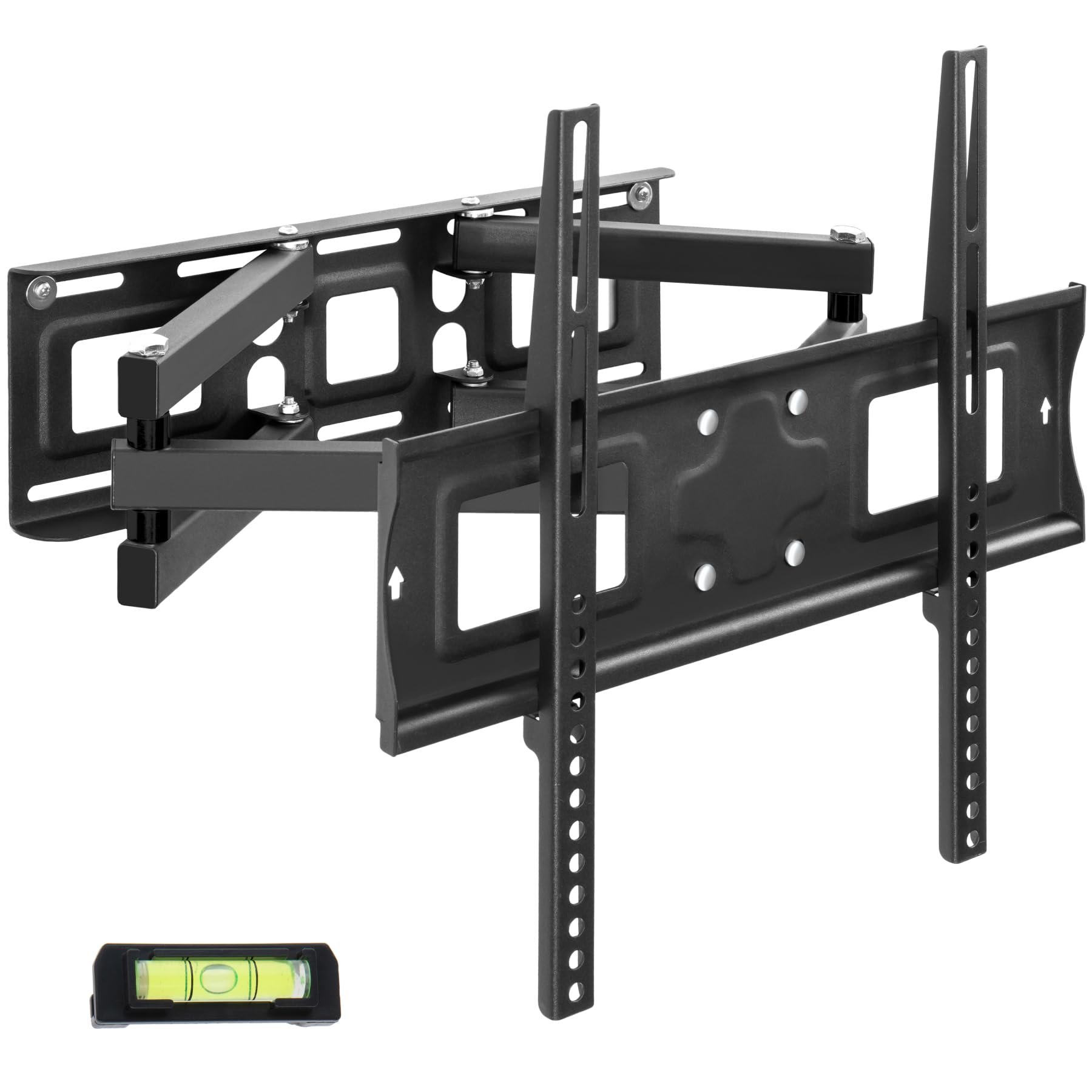
Image 1.1: tectake TV Wall Mount, Model 401288. This image shows the complete wall mount assembly.
2. Ukusetha nokufakwa
Follow these steps for a secure installation. It is recommended to have a second person assist with the installation process.
- Namathisela Abakaki be-TV: Secure the two pre-assembled vertical brackets to the back of your television using the provided screws. Ensure the VESA mounting holes on your TV align with the holes on the brackets.
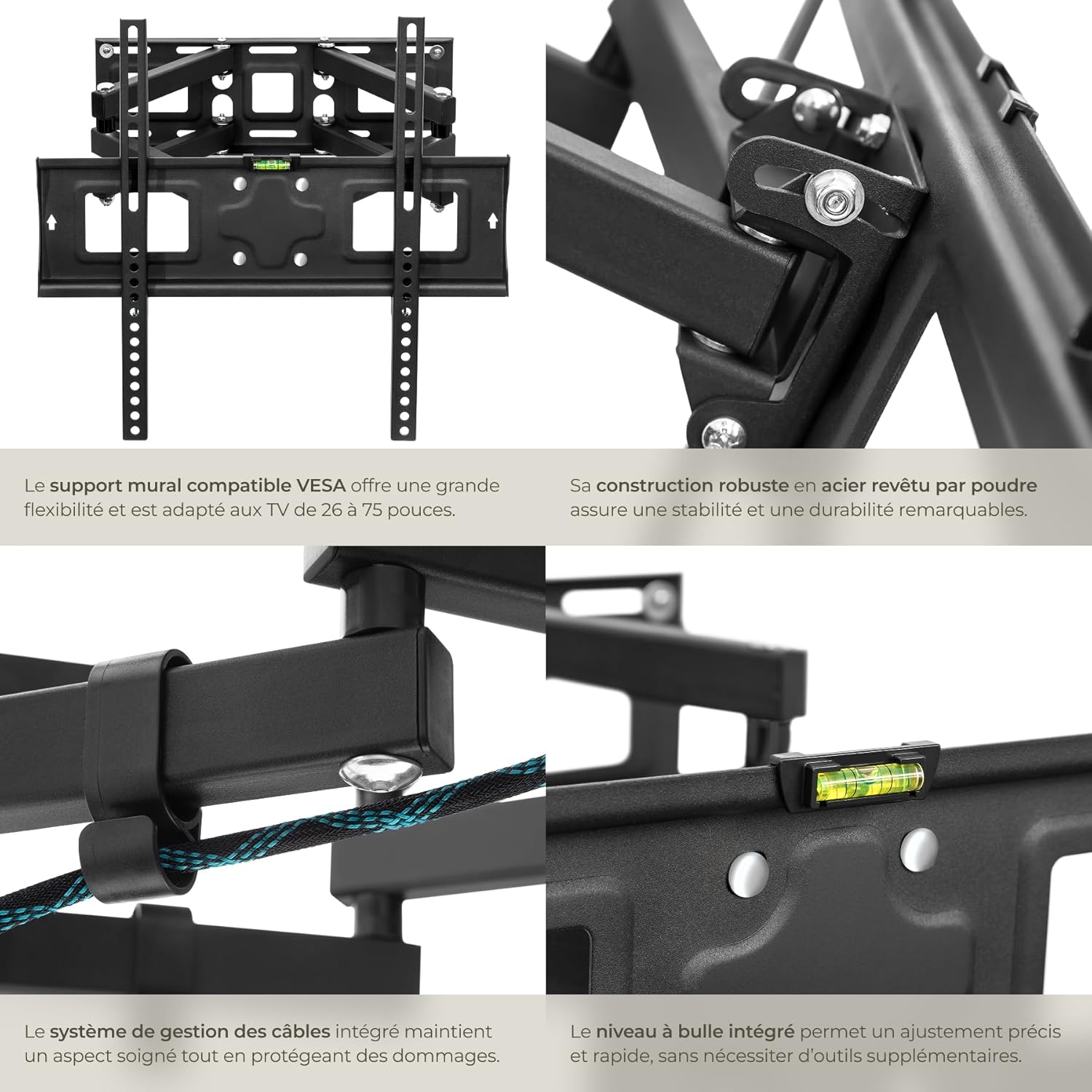
Isithombe 2.1: Ukuvala view of the VESA compatible TV brackets and integrated cable management system. This image highlights the robust construction and the spirit level for precise installation.
- Izindawo Zokubhoboza Udonga LukaMark: Hold the wall plate against the desired mounting location on your wall. Use the integrated spirit level to ensure it is perfectly horizontal. Mark the drilling points through the holes on the wall plate.
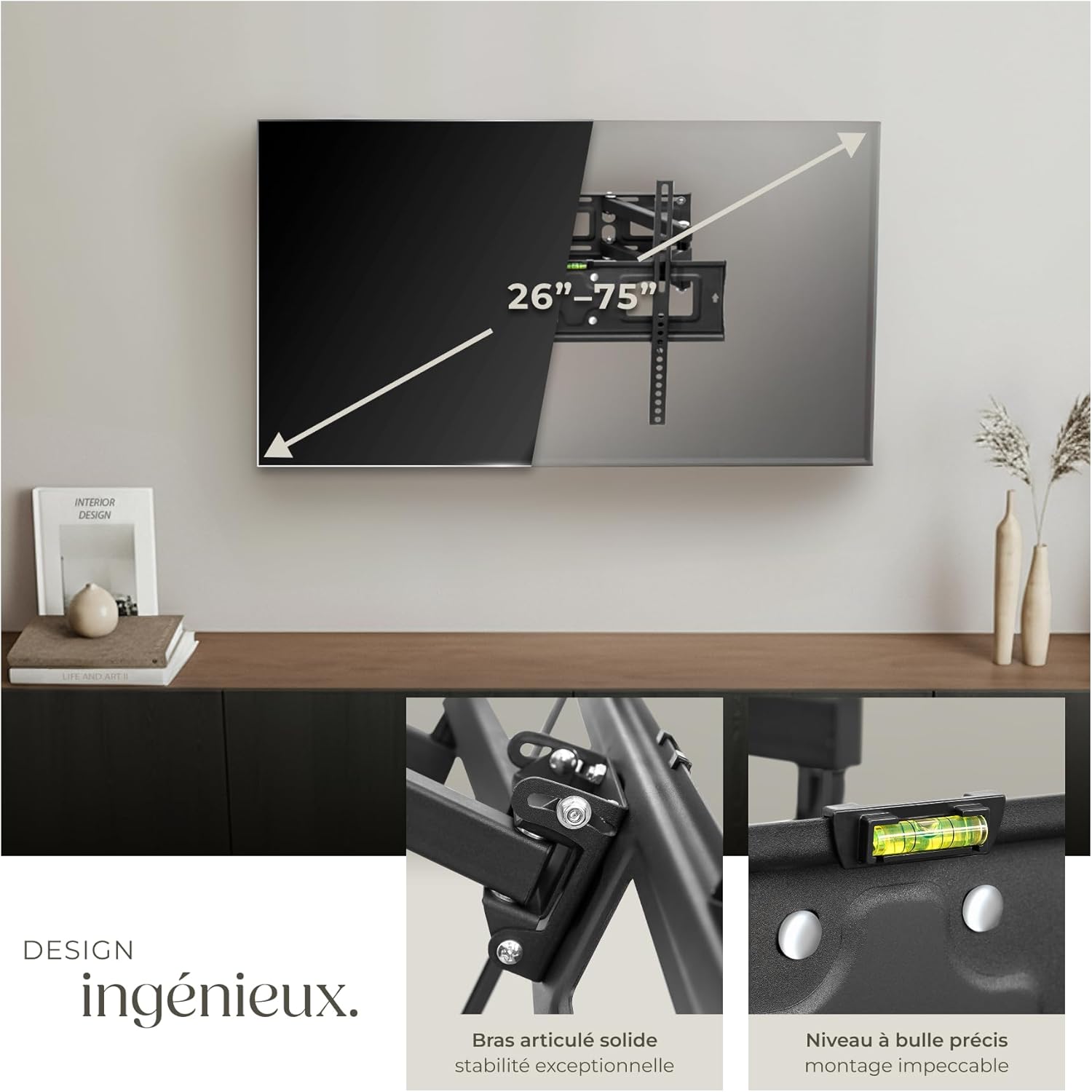
Image 2.2: Diagram illustrating the TV size compatibility (26-75 inches) and the use of the integrated spirit level for accurate wall mounting.
- Izimbobo Zokubhoboza Nokufaka Izikhonkwane: Drill holes at the marked points using an appropriate drill bit size for the provided wall anchors. Insert the wall anchors flush with the wall surface.
Qaphela: The quality of wall anchors is crucial for safety. For optimal security, especially on less solid walls, consider using high-quality anchors suitable for your specific wall material.
- I-Mount Wall Plate: Securely attach the wall plate to the wall using the appropriate screws and washers. Ensure all screws are tightened firmly.
- Hang Television: Carefully lift the television (with the attached brackets) and hook it onto the wall plate. Ensure the brackets are properly seated on the wall plate.
- Secure TV to Mount: Tighten the safety screws located at the bottom of the TV brackets to prevent accidental dislodgement.
3. Iziqondiso Zokusebenza
Your tectake TV Wall Mount offers flexible viewongakhetha kukho.
- Ukulungiswa Kwe-Tilt: The mount allows for vertical tilt adjustment up to 15° downwards and 5° upwards. Loosen the tilt adjustment screws on the side of the TV brackets, adjust to your desired angle, and then re-tighten the screws to secure the position.
- Swivel/Pivot Adjustment: The articulated arms allow you to swivel your TV horizontally. Gently pull the TV away from the wall and pivot it to the left or right for optimal viewing from different positions in the room. The arms are designed to be firm to hold the TV's position.
- Adjustable Wall Distance: The distance of your TV from the wall can be adjusted from 8 cm to 52 cm by extending or retracting the articulated arms. This feature helps optimize viewing distance and improve TV ventilation.

Isithombe 3.1: Phezuview of the wall mount's key features, including VESA compatibility, tilt and rotation, adjustable wall distance, robust construction, and load capacity.

Isithombe 3.2: Eksample of an optimal viewing angle achieved with the adjustable wall mount.
4. Isondlo
Ukunakekelwa okuvamile kuqinisekisa ukuphila isikhathi eside nokusebenza okuphephile kokukhwezwa kodonga lwe-TV yakho.
- Ukuhlolwa Kwezikhathi: Periodically check all screws and bolts to ensure they remain tight. Over time, vibrations or adjustments can cause fasteners to loosen.
- Ukuhlanza: Hlanza indawo yokumisa ngendwangu ethambile neyomile. Gwema izihlanzi ezihudulayo noma izinyibilikisi ezingalimaza ukuqeda.
- Ukuthambisa: If the articulated arms become stiff over time, a small amount of silicone-based lubricant can be applied to the pivot points.
5. Ukuxazulula izinkinga
If you encounter issues with your TV wall mount, refer to the following common solutions:
- I-TV ayiyona ileveli:
- Ensure the wall plate was installed perfectly level using the integrated spirit level.
- Check if the TV brackets are securely tightened to the TV and the wall plate.
- Some mounts allow for minor post-installation leveling adjustments; consult the specific mechanism if available.
- Mount feels loose on the wall:
- Verify that all wall screws are fully tightened.
- Confirm that the correct type and size of wall anchors were used for your wall material. If the anchors are failing, they may need to be replaced with more robust options.
- Ensure the wall material itself is strong enough to support the load.
- Difficulty moving/adjusting the TV:
- The articulated arms are designed to be firm to maintain position. Apply gentle, steady force.
- Check if any cables are snagged or preventing movement.
- Apply a small amount of silicone lubricant to the pivot points if movement is excessively stiff.
- TV not securely attached to the mount:
- Ensure the TV brackets are correctly hooked onto the wall plate.
- Verify that the safety screws at the bottom of the TV brackets are tightened.
6. Imininingwane

Image 6.1: Detailed technical drawing showing the dimensions and adjustable ranges of the wall mount.
| Isici | Imininingwane |
|---|---|
| Ibhrendi | i-tectake |
| Inombolo Yemodeli | 401288 |
| Osayizi Besikrini Abavumelanayo | 26" - 75" (66 - 191 cm) |
| Ukuhambisana kwe-VESA | 50x50 mm kuya ku-400x400 mm |
| Umthamo Omkhulu Womthwalo | 100 kg (220 lbs) |
| I-engeli yokutshekisa | Up to 15° downwards, 5° upwards |
| Swivel/Pivot | Yes, articulated arms |
| Adjustable Wall Distance | 8 cm kuya ku-52 cm |
| Okubalulekile | Alloy Steel (powder-coated) |
| Isisindo Somkhiqizo | Cishe. 5.4 kg |
7. Iwaranti kanye Nokusekela
For warranty information and customer support, please refer to the purchase documentation or contact your retailer.