
1. Isingeniso
The Cooler Master CM Storm QuickFire Rapid-i is a mechanical gaming keyboard designed for performance and durability. It features full LED backlighting with ActivLite Technology, allowing for dynamic lighting effects and per-key customization. This keyboard is equipped with a 32-bit ARM processor for advanced lighting control without the need for software. Its tenkeyless form factor provides a compact design, ideal for gaming setups and travel.
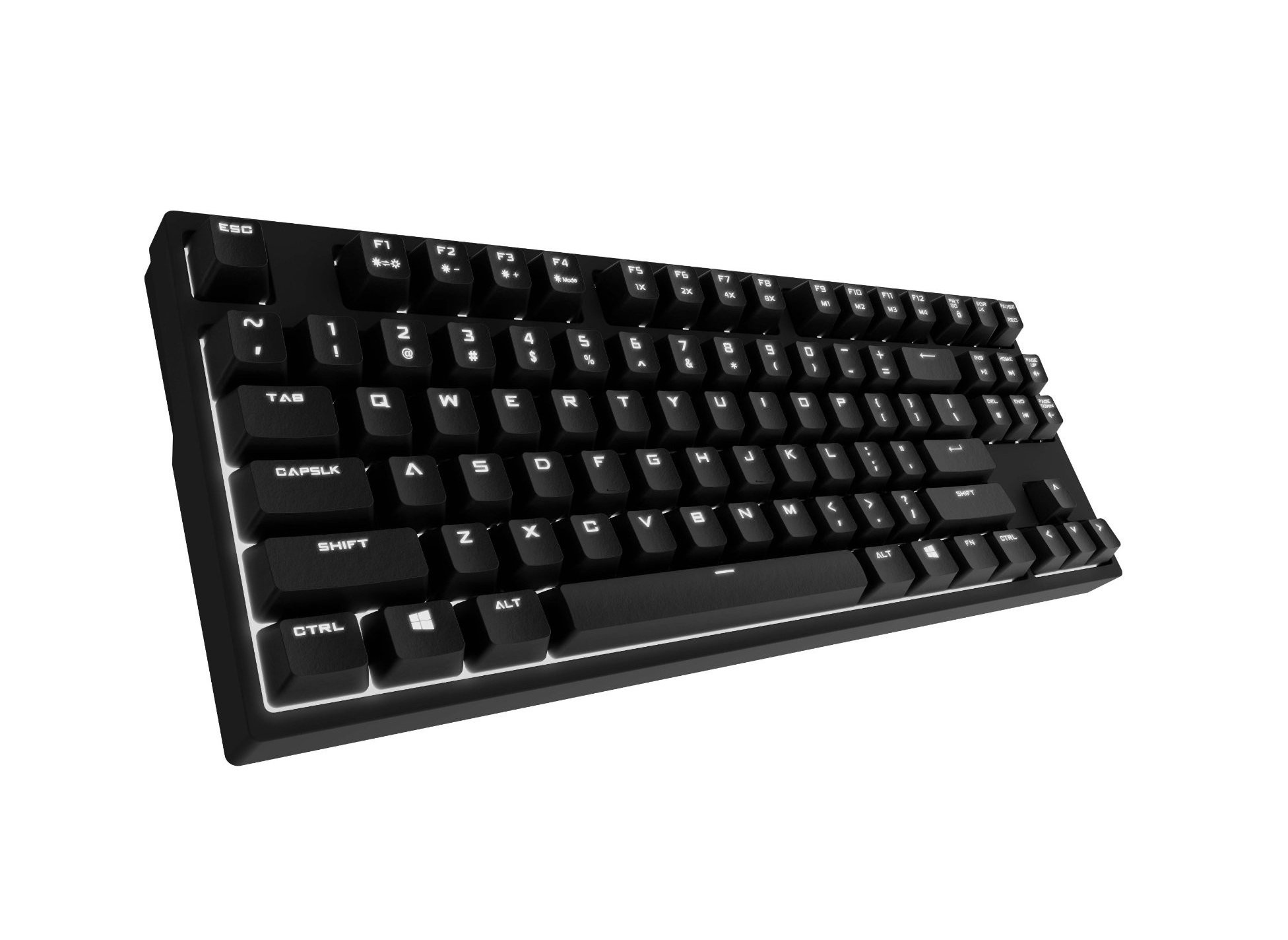
Image 1.1: Cooler Master CM Storm QuickFire Rapid-i Mechanical Gaming Keyboard.
2. Okuqukethwe Kwephakheji
Qinisekisa ukuthi zonke izinto zikhona kuphakheji yakho:
- Cooler Master CM Storm QuickFire Rapid-i Keyboard
- 1.8m Detachable Braided USB Cable
- Incwadi Yomsebenzisi (le dokhumenti)
3. Izici zomkhiqizo
- Fully Mechanical CHERRY MX Brown Keyswitches: Provides tactile feedback with low noise, optimized for gaming.
- Tenkeyless Form Factor: Compact and ergonomic design for portability and improved mouse positioning.
- Fully White LED Backlit: Ensures visibility in low-light environments.
- ActivLite Technology: Features instant response and trailing light effects, powered by a 32-bit ARM processor.
- Individual Key Lighting: Allows saving up to 4 different lighting profiles yezinhlelo zokusebenza ezahlukahlukene noma imidlalo.
- 1.8m Detachable Braided Cable: Durable and convenient for transport.
- I-N-Key Rollover: Registers an unlimited number of simultaneous keypresses, preventing ghosting.
4. Setha
4.1 Ukuxhuma ikhibhodi
- Locate the detachable 1.8m braided USB cable.
- Connect the micro-USB end of the cable to the port on the back of the QuickFire Rapid-i keyboard.
- Connect the standard USB-A end of the cable to an available USB port on your computer.
- The keyboard is plug-and-play compatible with Windows operating systems and should be recognized automatically.

Image 4.1: Connecting the detachable USB cable to the keyboard.
5. Iziqondiso Zokusebenza
5.1 Imisebenzi Yekhibhodi Eyisisekelo
The QuickFire Rapid-i functions as a standard QWERTY keyboard. All keys perform their labeled actions. Special functions are typically accessed via the Function (Fn) key combined with other keys.
5.2 ActivLite Technology and LED Backlighting
The keyboard features fully white LED backlighting with ActivLite Technology, offering various lighting modes and effects. These effects are controlled directly from the keyboard using key combinations, without requiring software.
- Impendulo esheshayo: Keys light up immediately upon press.
- Trailing Effect: Keys remain lit for a short duration after being pressed, creating a trailing light effect.
- Ukulungiswa Kokukhanya: Sebenzisa Fn + F1 (nciphisa ukukhanya) kanye Fn + F2 (increase brightness) to adjust the LED intensity.
- Amamodi Okukhanyisa: Cycle through various pre-programmed lighting modes using Fn + F3 ku Fn + F8. Refer to the keyboard's keycap legends for specific mode indicators.

Isithombe 5.1: Eksample of LED backlighting on the QuickFire Rapid-i.
5.3 Per-Key Lighting and Profiles
The QuickFire Rapid-i allows users to customize individual key lighting and save up to 4 different profiles directly on the keyboard's onboard memory.
- Entering Customization Mode: Cindezela Fn + F9 to enter the per-key lighting customization mode. The keyboard LEDs may flash to indicate this mode.
- Selecting Keys: Press any key you wish to toggle its LED on or off.
- Saving a Profile: Once your desired lighting pattern is set, press Fn + F10, Fn + F11, Fn + F12, noma Fn + Print Screen to save the current lighting pattern to one of the four available profiles. The keyboard will confirm the save.
- Ukulayisha i-Profile: To load a saved profile, mane ucindezele Fn + F10, Fn + F11, Fn + F12, noma Fn + Print Screen corresponding to the desired profile.
- Exiting Customization Mode: Cindezela Fn + F9 again to exit customization mode.

Image 5.2: Customizing individual key lighting for a personalized profile.
5.4 Ukugoqwa kwe-N-Key (NKRO)
The QuickFire Rapid-i supports N-Key Rollover, meaning every single keypress is registered accurately, regardless of how many keys are pressed simultaneously. This feature is crucial for fast-paced gaming where multiple commands might be executed at once.
6. Isondlo
6.1 Ukuhlanza Ikhibhodi
- Nqamula ikhibhodi kukhompuyutha yakho ngaphambi kokuhlanza.
- Sebenzisa indwangu ethambile, engenalinti kancane dampefakwe ngamanzi noma isixazululo sokuhlanza esithambile sokusula amakepisi okhiye kanye ne-chassis.
- Gwema ukufafaza uketshezi ngokuqondile kukhibhodi.
- Ukuze uthole uthuli nemfucumfucu phakathi kokhiye, sebenzisa umoya ocindezelweyo.
- Do not use harsh chemicals, abrasives, or solvents as they may damage the keyboard's finish or keycap legends.
6.2 Ukunakekelwa Kwekhebula
- Avoid sharp bends or kinks in the detachable braided cable.
- When disconnecting, pull from the connector head, not the cable itself.
7. Ukuxazulula izinkinga
7.1 Ikhibhodi Ayiphenduli
- Qinisekisa ukuthi ikhebula le-USB lixhumeke ngokuphephile kukho kokubili ikhibhodi nekhompyutha.
- Zama ukuxhuma ikhibhodi embobeni ehlukile ye-USB kukhompuyutha yakho.
- Hlola ikhibhodi kwenye ikhompyutha ukuze unqume inkinga ethile yesistimu.
- Qala kabusha ikhompuyutha yakho.
7.2 LED Backlighting Not Working or Flickering
- Check if the brightness is set to minimum using Fn + F1. Increase brightness with Fn + F2.
- Zulazula ngezindlela zokukhanyisa usebenzisa Fn + F3 ku Fn + F8 to see if other modes function.
- Ensure you are not in a custom profile with all LEDs turned off. Try loading a different profile or resetting the lighting.
- Nqamula futhi uxhume kabusha ikhibhodi.
7.3 Keys Not Registering Correctly (Ghosting)
- The QuickFire Rapid-i features N-Key Rollover, which should prevent ghosting. If you experience this, ensure the keyboard is connected directly to a USB port on your computer, not through a hub.
- Clean the affected keys as described in the Maintenance section.
- If the issue persists, contact Cooler Master support.
8. Imininingwane
| Ibhrendi | Cooler Master |
| Igama Lemodeli | SGK-4040-GKCB1 (CHERRY MX Brown switch) |
| Inombolo Yemodeli | SGK-4040-GKCM1-US |
| Shintsha Uhlobo | CHERRY MX Brown (Tactile) |
| Ubuchwepheshe bokuxhumana | Wired (Detachable USB Cable) |
| Isakhiwo Sekhibhodi | QWERTY, Tenkeyless Form Factor |
| Ukukhanyisa ngemuva | Fully White LED, ActivLite Technology, Per-Key Lighting |
| Iphrosesa | 32-bit ARM Processor |
| I-N-Key Rollover | Isekelwe |
| Ubude bekhebula | 1.8 meters (Braided, Detachable) |
| Isistimu Yokusebenza Ehambisanayo | IWindows |
| Ubukhulu bomkhiqizo (L x W x H) | 14.13" x 5.43" x 1.54" (35.89cm x 13.79cm x 3.91cm) |
| Isisindo sento | Amapondo ayi-2.05 (0.93 kg) |
| Impahla Ebiyelwe | Ipulasitiki |
9. Iwaranti kanye Nokusekela
9.1 Ulwazi Lwewaranti
The Cooler Master CM Storm QuickFire Rapid-i Mechanical Gaming Keyboard comes with a Iwaranti yezinyanga eziyi-12 kusukela ngedethi yokuthenga. Lesi siqinisekiso sifaka amaphutha okukhiqiza kanye nezinkinga ezivela ekusetshenzisweni okuvamile. Ayifaki umonakalo odalwe ukusetshenziswa kabi, izingozi, ukuguqulwa okungagunyaziwe, noma ukulungiswa ngendlela engafanele.
Sicela ugcine ubufakazi bakho bokuthenga izimangalo zewaranti.
9.2 Ukwesekwa Kwezobuchwepheshe
For technical assistance, troubleshooting beyond this manual, or warranty inquiries, please visit the official Cooler Master support website or contact their customer service department. Contact information can typically be found on the Cooler Master official webindawo.
Note: Product specifications and warranty terms are subject to change without prior notice.


