
PWR+ USB-C Laptop Charger Instruction Manual
Model: PWR-TAJ65PD
1. Isingeniso
This manual provides essential information for the safe and effective use of your PWR+ USB-C Laptop Charger, Model PWR-TAJ65PD. This charger is designed to provide reliable power to compatible LG Gram laptops and other USB-C powered devices. Please read these instructions carefully before use and retain them for future reference.
2. Ulwazi Lokuphepha
Your PWR+ charger is designed with multiple safety features and is UL Safety Certified to ensure protection for both the device and the user.

Image: UL Safety Certified Logo, indicating the product meets rigorous safety standards.
Built-in Safety Protections:
- Ukuvikelwa Kwesifunda Esifushane (SCP): Ivimbela ukulimala okuvela kumasekhethi amafushane.
- Ukuvikelwa Kwamanje Okungaphezu Kokujwayelekile (OCP): Izivikelo ekugelezeni kwamanzi amaningi ngokweqile.
- Over Voltage Ukuvikelwa (OVP): Protects devices from voltagama-spikes.
- Ukuvikelwa Kokushisa Okungaphezu Kokushisa (OTP): Ivimbela ukushisa ngokweqile ngesikhathi sokusebenza.

Image: A diagram showing the internal safety protections (SCP, OCP, OVP, OTP) and the high-quality construction of the power cord, including high-grade copper, wire insulation, aluminum foil shield, protective tinned copper braid, and PVC cable jacket.
Always use the charger in a well-ventilated area and avoid covering it during use to prevent heat buildup.
3. Okuqukethwe Kwephakheji
The PWR+ USB-C Laptop Charger package includes:
- 1 x PWR+ USB-C Laptop Charger (Model: PWR-TAJ65PD)
- I-1 x Cord Power Cord

Image: The PWR+ USB-C Laptop Charger, including the main adapter unit and the detachable AC power cord, shown alongside its product packaging.
4. Imininingwane
| Isici | Imininingwane |
|---|---|
| Inombolo Yemodeli | PWR-TAJ65PD |
| Okokufaka Voltage | 100-240V |
| Okukhiphayo | 5V 3A, 9V 3A, 12V 3A, 15V 3A, 20V 3.25A (30W, 45W, 65W Compatible) |
| Wattage | 65 Watts |
| Ampi-erage | 3.25 Amps |
| Uhlobo Lwesixhumi | Uhlobo C lwe-USB |
| Isamba samachweba we-USB | 1 |
| Ubude Bentambo Yamandla | 12 Feet (Total AC/DC cord length) |
| Isitifiketi Sokuphepha | UL/CUL Kusohlwini |
| Isisindo sento | 1.12 amakhilogremu |
| Ubukhulu bephakheji | 8.43 x 3.54 x 3.5 amayintshi |
5. Ukuhambisana
This PWR+ USB-C Laptop Charger is compatible with a wide range of LG Gram laptops and other devices requiring USB-C Power Delivery (PD) charging. Compatible LG Gram models include, but are not limited to:
- LG Gram 14, 15, 16, 17 series
- Specific models: 14Z90N, 14Z90R, 14T90R, 14T90P, 14Z90RS, 14Z90Q, 14Z90P, 15Z90N, 15Z995, 15Z90R, 15Z95N, 15Z95P, 15Z90Q, 16Z90R, 16Z90P, 16Z90RS, 16T90R, 16T90Q, 16T90SP, 17Z90P, 17U70P, 17Z90N, 17Z95N, 17Z90Q, 17Z90R, 17Z90SP, 17Z95P
- Part numbers: ADT-65DSU-D03-2, EAY65910831, EAY65895901, LP65WFC20P-NJB
For a complete list of compatible models, please refer to the product listing or contact PWR+ customer support.
6. Isethaphu kanye Noxhumano
Follow these steps to connect and begin using your PWR+ USB-C Laptop Charger:
- Connect the AC power cord to the charger unit. Ensure a firm connection.
- Plug the AC power cord into a standard wall outlet (100-240V).
- Insert the USB-C connector of the charger into the USB-C charging port on your compatible laptop or device.
- The charger features a blue LED indicator light that illuminates when power is supplied, confirming proper connection and operation.
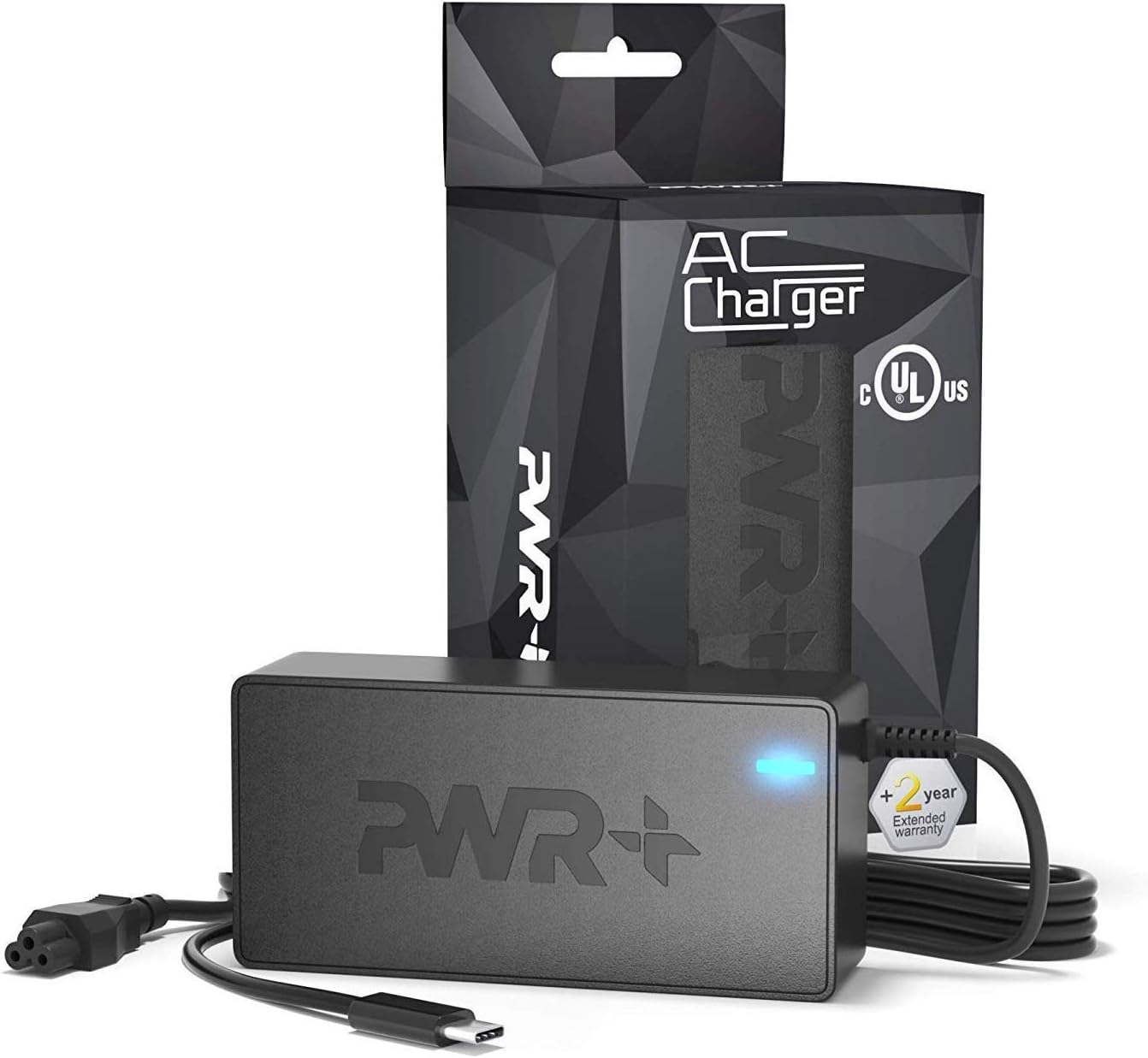
Image: The PWR+ USB-C Laptop Charger connected to a laptop, demonstrating the proper setup for charging.
7. Ukusebenza
Once connected, the PWR+ USB-C Laptop Charger will automatically detect your device's power requirements and deliver the appropriate voltage and current (up to 65W) using Power Delivery (PD) technology. The blue LED indicator on the charger will remain lit during operation.
Video: An official PWR+ video demonstrating the charger's features and compatibility with various laptop brands, highlighting its reliable power delivery.
The extra-long 12-foot power cord provides flexibility for use in various environments, from office desks to home settings.
8. Isondlo
To ensure the longevity and optimal performance of your PWR+ USB-C Laptop Charger, follow these maintenance guidelines:
- Ukuhlanza: Disconnect the charger from the power outlet and your device before cleaning. Use a soft, dry cloth to wipe the surface. Avoid liquid cleaners or abrasive materials.
- Isitoreji: When not in use, store the charger in a cool, dry place. Avoid extreme temperatures and direct sunlight.
- Ukunakekelwa Kwekhebula: Do not bend, twist, or pull the cables excessively. Avoid placing heavy objects on the cables.
- Ukuhlola: Periodically inspect the charger and cables for any signs of damage, such as frayed wires or cracked casing. Uma umonakalo utholakele, yeka ukusebenzisa futhi uxhumane nokwesekwa kwamakhasimende.
9. Ukuxazulula izinkinga
If you encounter issues with your PWR+ USB-C Laptop Charger, refer to the following common problems and solutions:
- Charger Not Working / No Power:
- Ensure the AC power cord is securely connected to both the charger unit and the wall outlet.
- Qinisekisa ukuthi i-outlet yasodongeni iyasebenza ngokuyihlola ngenye idivayisi.
- Check if the blue LED indicator on the charger is lit. If not, there may be an issue with the power supply or the charger itself.
- Slow Charging / Device Displays "Slow Charging" Message:
- Confirm that your device is fully compatible with the charger's power output (up to 65W PD). Some devices may require specific power profiles.
- Ensure no other power-intensive tasks are running on your laptop that might draw more power than the charger can consistently deliver, especially when the battery is very low.
- Try disconnecting and reconnecting the charger to reset the power delivery negotiation.
- Charger Gets Warm During Use:
- It is normal for chargers to become warm during operation, especially under heavy load.
- Ensure the charger is in a well-ventilated area and not covered by blankets or other materials.
- Uma ishaja ishisa kakhulu uma uyithinta, yinqamule ngokushesha bese uxhumana nosekelo lwamakhasimende.
- Loose Connection at the Wall Outlet or Charger Unit:
- Ensure all connections are snug. If the AC cord connection to the brick feels loose, it might affect power delivery.
If these steps do not resolve the issue, please contact PWR+ customer support for further assistance.
10. Iwaranti kanye Nokusekela
PWR+ stands behind the quality of its products. This USB-C Laptop Charger comes with a Iwaranti Eyengeziwe Yeminyaka emi-2.

Image: A red stamp graphic indicating a "2 Year Warranty" for the product.
For warranty claims, technical support, or any questions regarding your PWR+ product, please visit the official PWR+ website or contact their customer service department. Please have your model number (PWR-TAJ65PD) and purchase details ready when contacting support.