
Isingeniso
Siyabonga ngokuthengaasing the Optimus F-1230 12-Inch Oscillating 3-Speed Table Fan. This manual provides essential information for the safe and efficient operation, maintenance, and care of your new fan. Please read these instructions thoroughly before use and retain them for future reference.

Figure 1: Optimus F-1230 12-Inch Oscillating 3-Speed Table Fan, White.
Imiyalelo Ebalulekile Yezokuphepha
- Funda yonke imiyalelo ngaphambi kokusebenzisa le fan.
- Ungasebenzisi noma iyiphi ifeni ngentambo eyonakele noma ipulaki. Lahla ifeni noma ubuyele endaweni yesevisi egunyaziwe ukuze uyohlolwa futhi/noma ulungiswe.
- Ungagijimi intambo ngaphansi kokhaphethi. Ungavali intambo ngamaragi okujikijela, abagijimi, noma izimbozo ezifanayo. Hlela intambo kude nendawo yethrafikhi nalapho ingeke ikhubeke khona.
- Always unplug the fan when moving it, cleaning, or when not in use.
- Do not insert fingers or any foreign objects into the grille openings.
- Do not use this fan near windows, in wet areas, or where it may come into contact with water.
- Qinisekisa ukuthi ifeni ibekwe endaweni eqinile, eyisicaba ukuze igweme ukugoba.
Okuqukethwe Kwephakheji
Upon opening the package, ensure all components are present and undamaged. The Optimus F-1230 fan typically includes the following parts:
- Fan Motor Unit with Base and Control Panel
- I-Front Grille
- Izinsimbi ezingemuva
- I-Fan Blade
- Grille Retaining Nut
- I-Blade Retaining Cap

Figure 2: Components of the Optimus F-1230 Table Fan.
Iziyalezo Zomhlangano
The Optimus F-1230 fan is designed for no-tool assembly. Follow these steps to set up your fan:
- Namathisela i-Grille yangemuva: Align the rear grille with the motor housing, ensuring the alignment pins on the motor housing fit into the corresponding holes on the rear grille. Secure it with the grille retaining nut by turning clockwise.
- Install Fan Blade: Slide the fan blade onto the motor shaft, making sure the notch on the blade aligns with the pin on the shaft. Secure it with the blade retaining cap by turning counter-clockwise.
- Namathisela I-Front Grille: Place the front grille over the rear grille, aligning the clips. Snap the front grille into place, ensuring it is securely fastened around the entire circumference.
- Misa Umlandeli: Place the assembled fan on a stable, flat surface.
Imiyalelo yokusebenza
Once assembled, your Optimus F-1230 fan is ready for use. Ensure the fan is plugged into a standard 120V AC electrical outlet.
Amandla kanye nezilungiselelo zesivinini
The fan features a 4-position push button switch located on the base for controlling power and speed:
- Press the appropriate button to select one of the 3 izilungiselelo zesivinini (Low, Medium, High).
- Press the 'OFF' button to turn the fan off.
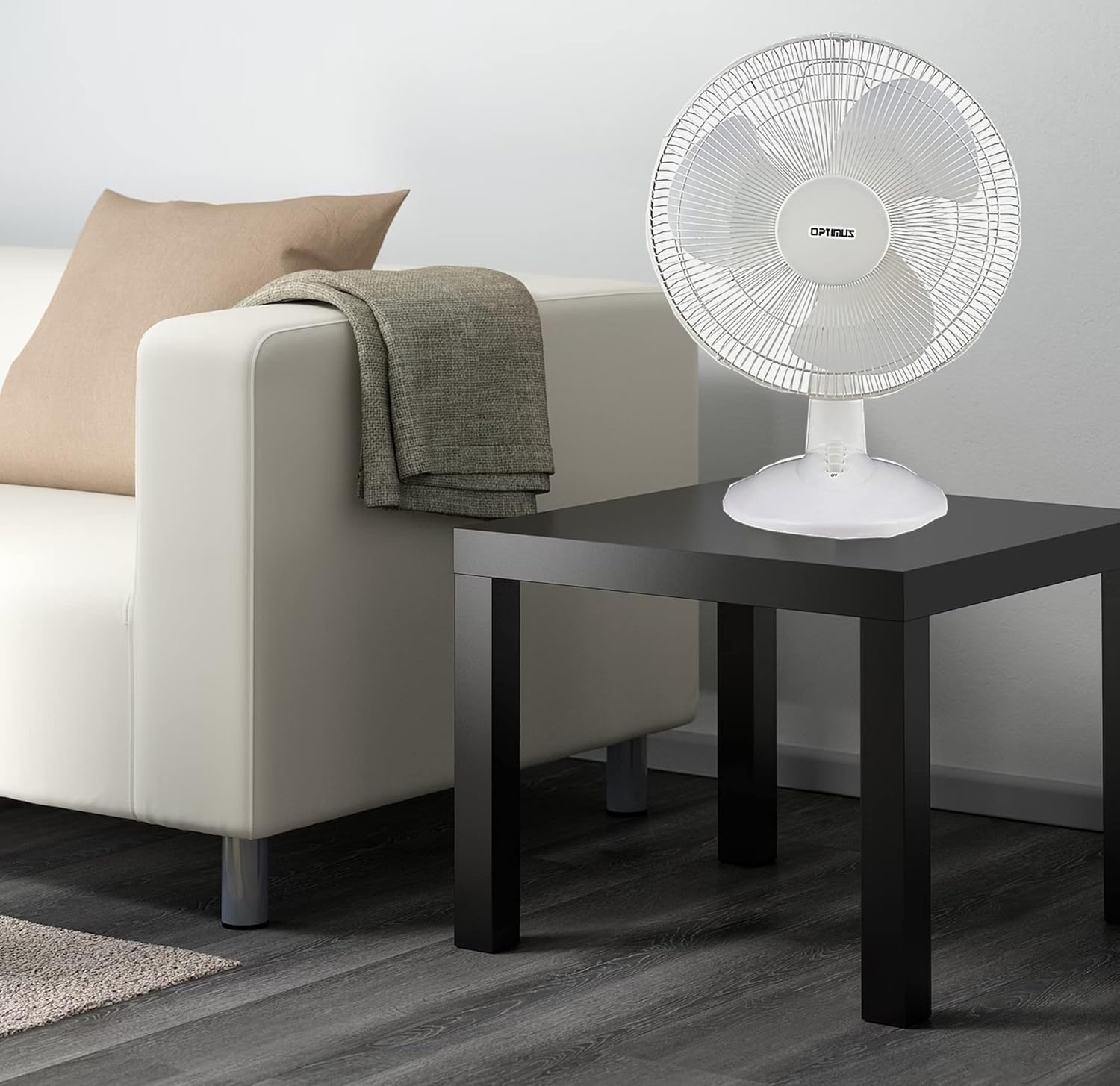
Figure 3: 4-Position Push Button Switch for speed control.
Umsebenzi we-Oscillation
The fan offers a full room of directional 90-degree oscillation to distribute air across a wider area:
- To start oscillation, push down the oscillation knob located on top of the motor housing.
- To stop oscillation and direct airflow in a fixed position, pull up the oscillation knob.
Adjustable Tilt/Angle Head
The fan head can be adjusted vertically to direct airflow precisely where needed:
- To adjust the tilt, gently push the fan head up or down to the desired angle. The fan head will remain in the selected position.

Figure 4: Adjustable tilt/angle head for vertical airflow adjustment.
Ukunakekela Nokuhlanza
Regular cleaning and maintenance will ensure optimal performance and extend the life of your fan.
Ukuhlanza
- Ngaso sonke isikhathi khipha isiphephetha-moya esiphuma kugesi ngaphambi kokuhlanza.
- Sebenzisa okuthambile, damp indwangu yokusula indawo yangaphandle yesiphephetha-moya. Ungasebenzisi izinto zokuhlanza abrasive noma izincibilikisi.
- To clean the fan blades, you may need to carefully remove the front grille. Refer to the assembly instructions in reverse order for safe removal and reattachment.
- Qinisekisa ukuthi zonke izingxenye zomile ngokuphelele ngaphambi kokufaka ifeni kabusha.
Isitoreji
Uma ingasetshenziswa isikhathi eside, gcina isiphephetha-moya endaweni epholile, eyomile, okungcono kakhulu ephaketheni layo lokuqala, ukuze usivikele othulini nasekonakaleni.
Ukuxazulula inkinga
Uma ifeni yakho ingasebenzi ngendlela efanele, bheka izinkinga ezilandelayo nezisombululo:
- Ifeni ayivuli:
- Qinisekisa ukuthi intambo kagesi ixhunywe ngokuvikelekile endaweni kagesi esebenzayo.
- Check if the outlet is receiving power by plugging in another appliance.
- Verify that the speed control button is pressed to an 'ON' setting (1, 2, or 3).
- Umlandeli unomsindo:
- Ensure the fan is placed on a stable, level surface.
- Check for any loose parts or obstructions within the fan grilles or around the blades.
- Clean the fan blades and grilles to remove any dust buildup that might cause imbalance.
- Fan does not oscillate:
- Ensure the oscillation knob on top of the motor housing is pushed down.
Uma inkinga iqhubeka ngemva kokuzama lezi zixazululo, sicela uxhumane nokwesekwa kwamakhasimende.
Imininingwane
| Ibhrendi | I-Optimus |
| Inombolo Yemodeli | F-1230 |
| Idizayini yabalandeli bakagesi | Ifeni Yethebula |
| Umbala | Emhlophe |
| Umthombo wamandla | I-Corded Electric |
| Inombolo Yezivinini | 3 |
| Isici Esikhethekile | Kuyahlekisa |
| Uhlobo Lokukhweza | I-Tabletop Mount |
| Uhlobo lwesilawuli | Inkinobho Yokulawula |
| Wattage | 50 watts |
| Voltage | 120 volts |
| Isisindo sento | 4.95 Amakhilogremu |
| Uhlobo Lwezinto | Ipulasitiki |
| Ukusetshenziswa Kwangaphakathi/Kwangaphandle | Ngasendlini |
Iwaranti kanye Nokwesekwa Kwekhasimende
Ulwazi Lwewaranti
This Optimus F-1230 fan comes with a Izingxenye Zonyaka O-1 kanye Nezabasebenzi warranty. Please retain your proof of purchase for any warranty claims.
Ukwesekwa Kwamakhasimende
For technical assistance, troubleshooting not covered in this manual, or warranty service, please contact Optimus Enterprises. The manufacturer's contact information is: SEATTLE, WA, 98109 US.
You may also visit the official Optimus webisayithi ukuze uthole izinsiza ezengeziwe zokusekela.